Blog
Cisco Meraki MX75 vs MX85 vs MX95 vs MX105: Which Security Appliance Is Right for Your Business?


Choosing the right security appliance can feel overwhelming, especially when four models in the same product family look remarkably similar on the surface. We compare the Cisco Meraki MX75, MX85, MX95, and MX105 are all cloud-managed security and SD-WAN appliances, but they’re built for very different scales of operation.
This guide cuts through the noise and breaks down exactly where each model sits, what it delivers, and which one makes sense for your network.
What They All Have in Common
Before diving into differences, it’s worth noting that every model in this range shares the same core DNA. All four are 100% cloud-managed through the Meraki Dashboard, meaning zero-touch deployment and remote management from anywhere. They all include application-based firewalling, content filtering, SNORT-based intrusion detection and prevention, Cisco Advanced Malware Protection (AMP), Auto VPN, client VPN, cellular failover, and dynamic path selection.
In short, you’re not sacrificing features by going smaller — you’re scaling performance and capacity to match your environment.
The Key Differences at a Glance
| Feature | MX75 | MX85 | MX95 | MX105 |
|---|---|---|---|---|
| Recommended Users | Up to 200 | Up to 250 | Up to 500 | Up to 750 |
| Advanced Security Throughput | 500 Mbps | 750 Mbps | 1 Gbps | 1.5 Gbps |
| Firewall Throughput | 1 Gbps | — | — | — |
| VPN Throughput | 500 Mbps | — | — | — |
| Form Factor | Desktop | Rack Mount (1U) | Rack Mount (1U) | Rack Mount (1U) |
| WAN Interfaces | 1x GbE SFP, 2x GbE RJ45 | 2x GbE SFP, 2x GbE RJ45 (1x PoE+) | 2x 10GbE SFP+, 2x 2.5GbE RJ45 (1x PoE+) | 2x 10GbE SFP+, 2x 2.5GbE RJ45 (1x PoE+) |
| LAN Interfaces | 10x GbE RJ45 (2x PoE) | 8x GbE RJ45, 2x SFP | 4x GbE RJ45, 2x 10GbE SFP+ | 4x GbE RJ45, 2x 10GbE SFP+ |
Who Should Choose What?
MX75 — The Small Branch Workhorse
The MX75 is the only desktop form-factor appliance in this lineup, making it ideal for small offices or remote branches where rack space isn’t available. With support for up to 200 users and 1 Gbps firewall throughput, it punches well above its weight. If you’re running a satellite office, retail location, or a small professional services firm, this is your sweet spot.
Best for: Small branches, retail sites, remote offices with up to 200 users.
MX85 — The Step-Up for Growing Branches
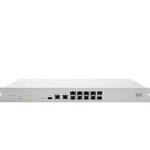
The MX85 moves into a rack-mountable form factor and bumps capacity to 250 users with 750 Mbps advanced security throughput. It adds dedicated WAN SFP ports and PoE+ on a WAN port — handy if you’re connecting a Meraki MG cellular gateway directly. It’s a solid choice for small-to-medium branches that have outgrown the desktop footprint.
Best for: Small-to-medium branches needing rack-mount deployment and fibre WAN uplinks.
MX95 — The Mid-Market Powerhouse
This is where things get serious. The MX95 jumps to 10GbE SFP+ WAN interfaces and 2.5GbE multi-gig RJ45 ports, delivering 1 Gbps of advanced security throughput for up to 500 users. If your branch handles significant traffic volumes, runs bandwidth-heavy applications, or serves as a regional hub, the MX95 gives you headroom without overspending.
Best for: Medium-to-large branches, regional offices, campus environments with up to 500 users.
MX105 — Built for Large Branch Deployments
The MX105 shares the same interface layout as the MX95 but delivers 1.5 Gbps of advanced security throughput and supports up to 750 users. It also features redundant, removable power supplies. This is a critical consideration for environments where uptime is non-negotiable. This is the appliance you deploy when a branch is large enough to demand enterprise-grade resilience.
Best for: Large branches, campus headquarters, high-availability environments with up to 750 users.
Licensing — Don’t Forget This Part
All four models require a Meraki licence to operate. You’ll choose between an Enterprise licence (SD-WAN and networking features) or an Advanced Security licence (adds threat protection features like AMP, IPS, and content filtering). Licences are available in 1, 3, 5, 7, and 10-year terms, with longer terms offering better per-year value.
Making Your Decision
The decision really comes down to three factors: how many users you need to support, how much throughput your network demands, and whether you need rack-mount or desktop form factor. There’s no point over-specifying, but equally, buying too small means you’ll be replacing hardware sooner than planned.
If you’re still unsure which model fits your environment, book a call with the G5 team — we’ll help you size the right MX for your network.