Blog
What Nobody Tells You About Your IT Network When Running Multiple Offices


You opened your second location and added a router. Then came a third site, and someone installed whatever switch was available at the time. A fourth location followed, and by then, nobody could tell you exactly what was running where.
Sound familiar?
This is the reality for most growing businesses. Your IT network was never designed, it just happened. And now you’re dealing with the consequences: no single view of what’s going on across your offices, inconsistent performance, and a setup that only one person half-understands.
Why Your IT Network Becomes a Patchwork Across Multiple Offices
When a business grows organically, the network grows with it, but rarely in a planned way. Different locations end up with different hardware, different configurations, and different levels of management. Some sites have kit that’s five years old. Others have newer gear that nobody has configured properly.
The result? You’ve got blind spots everywhere. You can’t see which locations are struggling with bandwidth. You don’t know which switches are nearing end of life. You can’t tell if someone has plugged in a rogue access point at your Glasgow office. And when something goes wrong at 7am on a Monday morning, you’re ringing around trying to figure out which box is causing the issue.
This can cause a lot of inconvenience and is a risk to your business.
Why IT Network Problems Get Worse the More Offices You Open
Most businesses don’t address IT network problems until something breaks badly enough to force the conversation. A site goes offline during trading hours. A security incident gets traced back to an unpatched firewall at a branch office. A new location opens and nobody can replicate the setup from the last one because it was all done ad hoc.
By that point, the cost of fixing it reactively is far higher than it would have been to get it designed properly.
What a Properly Managed IT Network Looks Like Across Multiple Offices
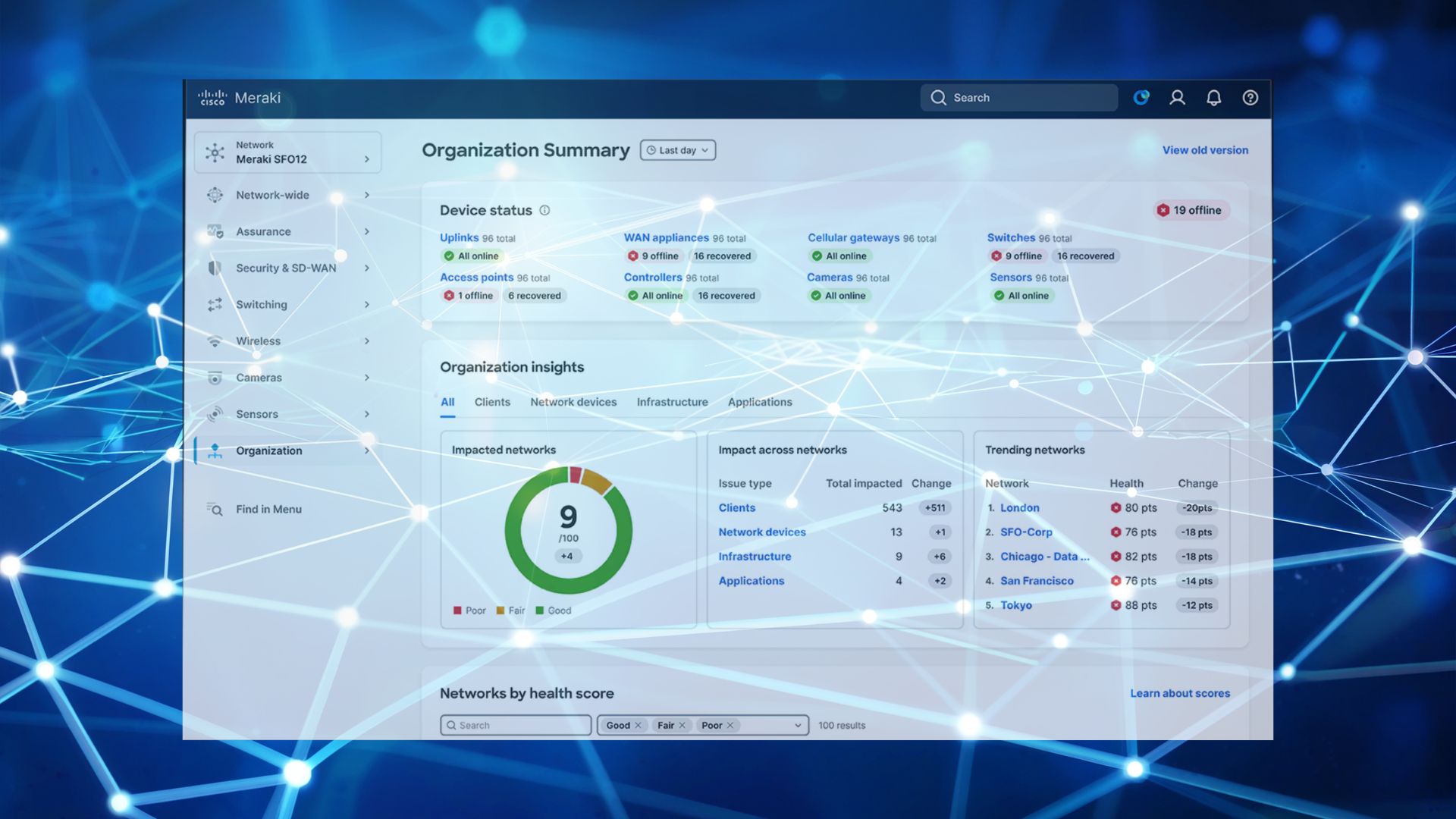
The fix isn’t just better hardware, it’s a fundamentally different approach. With a cloud-managed platform like Cisco Meraki, every site sits under one dashboard. One view. One pane of glass. You can see every access point, every switch, every security appliance across every location, no matter how many sites you operate.
Performance issues? You spot them before users start complaining.
Security gaps? You close them from a central policy, applied consistently across the board.
New site opening? You deploy preconfigured hardware that checks in with the dashboard the moment it’s plugged in.
The Meraki licence is what brings it all together. Your dashboard access, analytics, firmware updates, and security policies all run through it. With the right tier and an active licence, you get full visibility and control across every office from a single screen.
How G5 Technologies Manages Your IT Network Across Multiple Offices
At G5 Technologies, we work with multi-site businesses that have hit exactly this wall. They’ve grown, the network hasn’t kept up, and they need someone to bring it all under control.
We don’t just sell Meraki hardware and walk away. We design the network around your business, deploy it across every site, and manage the entire lifecycle, including your licensing. That means we handle co-terming, renewals, tier selection, and scaling so that when you open a new location, everything is covered from day one.
Ready to Get Your Multi-Office IT Network Under Control?
G5 Technologies can audit what you’ve got and design what you need.
Get in touch with G5 Technologies today and take back control of your network.