Blog
Bandwidth Management for Growing Teams: How to Scale Your Network When Remote/Hybrid Work Is Stretching Capacity


You hired 40 people last year. Your office opened a second location. Half your team went remote. And now everyone’s complaining that the internet is slow.
You called your ISP. They said your connection is fine. Your IT team swears they didn’t change anything. But somehow, the network that worked perfectly fine for 60 people is struggling with 100.
This is the moment most business leaders discover that bandwidth management for growing teams isn’t about the number you see on your ISP bill. It’s about understanding where all that bandwidth is actually going and whether you’re measuring the right things.
The Problem in Numbers
Let’s start with what you probably think is true: An office worker needs about 2-5 Mbps of bandwidth.
That’s the old number. That’s browsing the web, checking email, maybe a Slack message or two.
Now add reality: everyone’s on video calls. Multiple concurrent meetings. Collaboration tools running in the background. Cloud applications instead of local servers. Backup software running 24/7.
An employee in a hybrid or fully remote environment? They need 10-25 Mbps. Sometimes more.
Do the math.
If you have 100 employees and you’re planning for 5 Mbps each, you’re budgeting for 500 Mbps. But the real demand is probably closer to 1,500-2,500 Mbps at peak hours. You’re short by a factor of 3-5x.
No wonder it feels slow.
Most companies don’t realise this until it’s too late. They’ve already hired the people, signed the office lease, and distributed the laptops. Then they’re shocked when the network can’t keep up. This is why effective bandwidth management for growing teams needs to start before you hit the breaking point, not after.
Where Bandwidth Gets Wasted
Bandwidth is often not scarce. It’s just being used by things you didn’t know were happening.
Video calls hogging all the air (because QoS isn’t configured)
Someone starts a Zoom call. Then another Zoom call starts in a different department. Then a Microsoft Teams meeting. Then someone streaming a training video. Video wants as much bandwidth as it can get, and without quality of service (QoS) settings, it just takes it.
Meanwhile, someone trying to upload a critical file to the cloud is waiting. A customer trying to access your web application gets a timeout. Your database sync fails because the connection is too congested.
The video calls aren’t the problem. Lack of traffic prioritisation is the problem.
Backup software hammering the pipe at peak hours
Your nightly backup is supposed to run after hours. But with people working from home at all times, “after hours” doesn’t really exist anymore. Your backup software kicks in at 9pm and suddenly the VPN is congested. Someone working late can’t connect. Your disaster recovery test fails because the network is maxed out.
Shadow IT apps consuming more bandwidth than you measure
Someone installed a cloud service nobody told IT about. Someone else is syncing files to a personal cloud storage account. A team is using a video conferencing tool that’s not Zoom. These apps are all using bandwidth, but they’re not showing up in your official network monitoring because nobody configured the monitoring to track them.
Unsecured guest Wi-Fi eating bandwidth from work traffic
You set up a guest network for visitors. But your guest network is on the same internet connection as your work network, with no traffic shaping. One guest decides to download a large file or stream video, and suddenly your employees’ work traffic is competing with guest traffic. Your business connection gets deprioritised.
Understanding Your Bottleneck is The First Step in Bandwidth Management for Growing Teams
Before you can fix the problem, you need to know where the bottleneck actually is. And there are usually multiple.
Your internet connection itself
Are you on cable, fibre, or business broadband? What’s the actual speed, not the advertised speed? Run a speed test (wired, not Wi-Fi) right now. Is it what you’re paying for? Many companies never actually verify.
And here’s the thing: that 300 Mbps connection you’re paying for? That’s the max speed under perfect conditions. In reality, you’ll see 70-80% of that during peak hours. So budget accordingly.
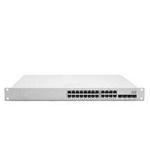
Switch oversubscription
Your network switches connect everything together. But most switches are “oversubscribed,” meaning the backplane (the internal capacity) is smaller than the sum of all ports.
If you have a switch with 48 gigabit ports, you might think you have 48 Gbps of capacity. You might actually have 4 Gbps backplane capacity. Lucky you if it’s 4:1. Sometimes it’s worse.
This is invisible until you monitor it. But it’s real. When too many people try to move data simultaneously, the switch becomes the bottleneck.
Wi-Fi interference stealing capacity invisibly
Your Wi-Fi is operating on a shared spectrum. If you’re in a building with other businesses, or in a dense area, you’re competing for airspace with everyone else’s Wi-Fi, phones, Bluetooth devices, and even the microwave ovens.
Poor channel selection means you’re running on the same frequency as five other networks. Your throughput drops. Your connection gets flaky. Users blame the internet. Actually, they should blame whoever set up the Wi-Fi channels six years ago and never changed them.
How to actually measure what’s happening
Most companies run speed tests when something feels slow. That tells you what’s happening right now, not what’s happening during your peak hours.
Real measurement means:
- Monitor your internet link continuously (not just when you suspect a problem)
- Track peak usage times and peak bandwidth usage
- Identify which applications are using the most bandwidth
- Know your “busy hour” vs. your baseline
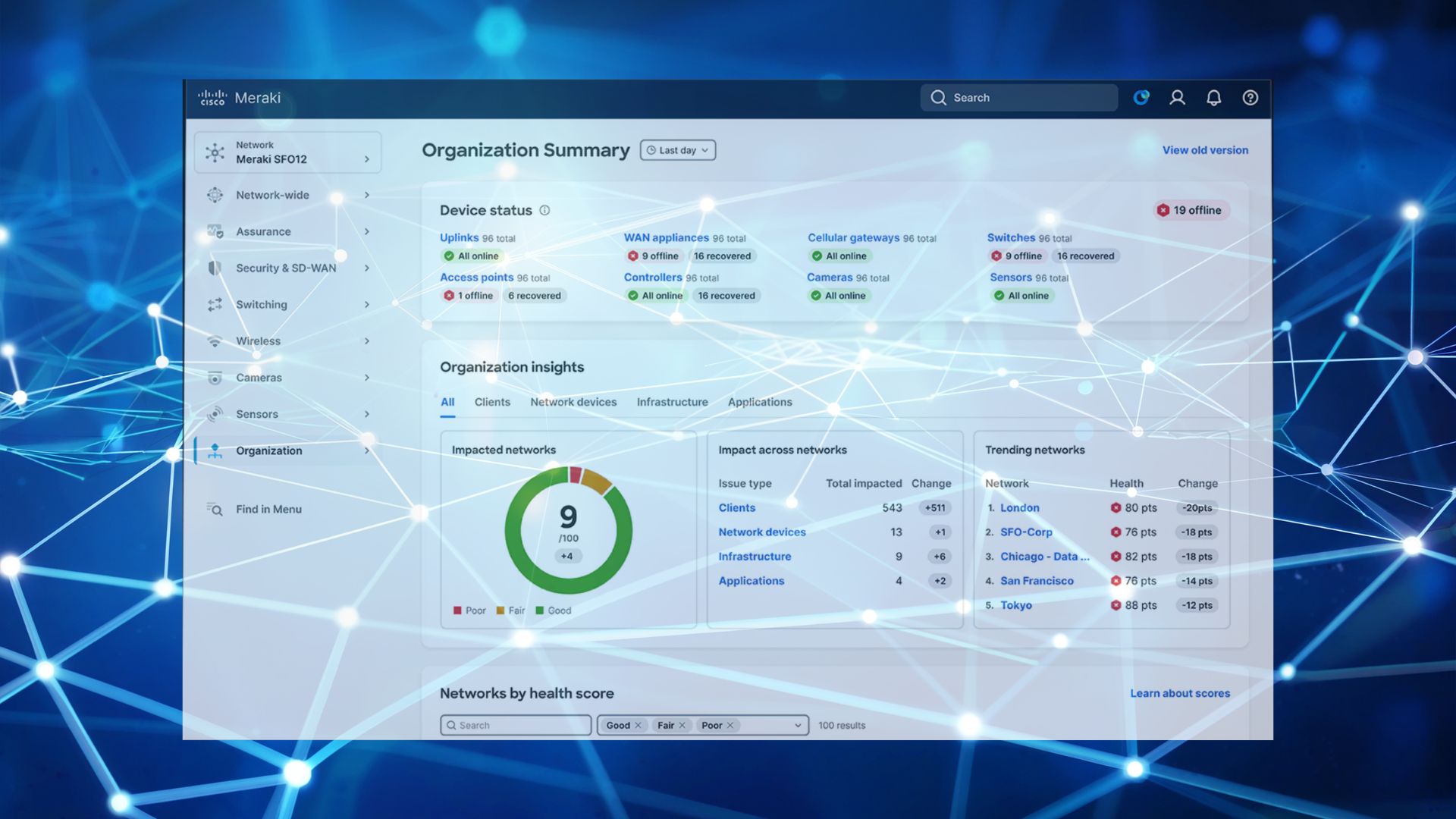
Cisco Meraki dashboards show you exactly this. Not just “the internet is slow,” but “at 2pm every day, bandwidth usage spikes to 1.8 Gbps and your connection maxes out.”
4 Quick Wins (No Budget Required)
Before you call your ISP and order more bandwidth, try these. They often solve 40-50% of the problem.
Enable QoS to prioritise work traffic
Quality of Service means you’re saying: “Video calls matter. File uploads matter more. Backup jobs matter less.”
When bandwidth gets tight, QoS makes sure that critical business traffic gets priority, and non-critical traffic gets what’s left over. This single change often makes your network feel dramatically faster without adding a single Mbps of capacity.
Segment video calls to a separate SSID
If your office Wi-Fi is carrying both work traffic and video conferencing, video’s going to win the bandwidth war. Create a separate Wi-Fi network (SSID) specifically for video calls. It doesn’t need to be faster, but it just needs to not compete with everything else.
Off-peak backup scheduling
If your backups are running during the day or during typical remote work hours, move them. Run them at 2am or 4am when fewer people are online. If you can’t move them, at least reduce their bandwidth consumption so they’re not hammering the connection.
Identify and block bandwidth-wasting apps
That app someone installed that streams video to four cloud platforms at once? Block it. The personal cloud sync that’s uploading gigabytes of data? Limit it or block it. Use your firewall or network monitoring to see what’s actually using bandwidth, then make conscious decisions about what you allow.
Most companies don’t even know what apps are running on their networks. The moment you identify them, you can control them.
When You Need to Upgrade
The quick wins might buy you time, but if your company is growing, you’ll eventually need more capacity.
Here’s when to upgrade.
-
Network segmentation and traffic shaping
This is more sophisticated than QoS. You’re not just prioritising traffic, you’re actively managing how much bandwidth each department or application can use.
Sales department video calls get priority. Engineering’s large file transfers get a fair share but not unlimited. Backup gets whatever’s left. You’re being intentional about bandwidth allocation.
-
Dual-internet failover (redundancy + more bandwidth)
Instead of one internet connection, you have two. If one goes down, everything automatically fails over to the other. You also effectively double your capacity because each connection carries traffic simultaneously.
This is a game-changer for growing companies. You’re not just buying more bandwidth, but you’re buying reliability and redundancy. When one connection hiccups, nobody even notices.
-
Upgrade wireless to Wi-Fi 6
Wi-Fi 6 (802.11ax) is a real step forward. It handles more concurrent users, has better efficiency, and performs better in congested environments. If you’re running older Wi-Fi standards and you’re adding lots of devices, this upgrade actually solves real problems instead of just adding more capacity.
Meraki insights: where to look for the real problems
Before you upgrade anything, you need data. Cisco Meraki gives you:
- Real-time bandwidth usage by application
- Peak usage trends over time
- Wi-Fi performance metrics (signal quality, interference, client density)
- Internet link performance (latency, packet loss, jitter)
You can make decisions based on actual data instead of guessing. This often reveals that your real problem isn’t total bandwidth, but Wi-Fi performance during peak hours, or a specific application that’s misconfigured.
Planning for Future Growth
The 30% headroom rule
Buy more bandwidth than you think you need right now. If you need 1 Gbps, buy 1.3 Gbps. This headroom is your buffer for growth, for unexpected spikes, and for the fact that ISP speeds are never exactly what’s advertised.
When you’re operating at 90% capacity, you’re one heavy day away from congestion. When you’re at 70% capacity, you’ve got breathing room.
Scaling strategy for the next 3-5 hires
Every time you bring on a new employee, they need bandwidth. It’s not just one Mbps extra, it’s one concurrent video call extra, one backup stream extra, one new device on Wi-Fi extra.
Plan for it. If you’re growing 10 people per quarter, you can project when you’ll need to upgrade. Instead of scrambling when you hit the limit, bandwidth management for growing teams becomes a predictable part of your infrastructure planning.
Cloud-first bandwidth planning
More companies are moving to cloud-first architectures. That means less server traffic going to a data centre, more traffic going directly to cloud services. This actually reduces your internal bandwidth needs in some ways, but it means your internet connection needs to be more reliable and have lower latency.
Plan your bandwidth strategy around where your applications are actually running.
What To Do Right Now
- Run a real bandwidth audit. Use your firewall or network monitoring to see what’s actually using bandwidth. Don’t assume. Measure.
- Identify your peak usage times. Is it 2pm? First thing in the morning? Check multiple days.
- Calculate your actual per-user bandwidth. Sum your peak bandwidth and divide by concurrent users. If it’s less than 10 Mbps per user, you’re lucky. If it’s more than 25 Mbps, you need to optimise.
- Implement QoS. This costs nothing and solves a lot of problems.
- Plan for the next 12 months of growth. How many people are you adding? What does that do to your bandwidth needs?
- Schedule a network assessment. If you’re growing fast and bandwidth feels tight, get G5 Technologies who understand infrastructure, to review it.
Growing fast and your network’s struggling to keep up?
Let’s talk about what’s actually happening. We can usually find hidden capacity before we recommend buying more.