Blog
Cisco Meraki Firmware Auto-Updates: How They Work and Why Your Devices Can Be Months Behind


One of the things people like most about Meraki is that it keeps itself current. Set a maintenance window, tick the box, and the dashboard takes care of firmware. For the most part it does exactly that.
What is less widely understood is the timing. With Cisco Meraki firmware auto-updates it is common to find devices running firmware that is several months old even though the dashboard reports them as set to run the latest available version. That is expected behaviour rather than a fault, and understanding why makes firmware much easier to plan around.
Do Cisco Meraki firmware auto-updates install as soon as a release comes out?
No. New firmware is not pushed to every dashboard on the day it is released. Cisco rolls it out in batches across customer organisations over a period of time, which keeps the platform stable and means any issue found in an early batch can be caught before it reaches everyone.
The practical effect is that a release may not reach your organisation for several weeks, and there is no fixed timeline for when your batch comes round. That is sensible engineering, and it is also the reason Cisco Meraki firmware auto-updates are best treated as a helpful default rather than a complete firmware strategy.
How G5 can help: we monitor releases as they come out and schedule the upgrade for you when a fix matters, rather than waiting for your batch.
Why does the Meraki dashboard say “latest available firmware” when the version is months old?
Because “latest available” means the latest version available to your organisation, not the newest release Cisco has published. A network set to run the latest available firmware is doing exactly what it has been told to do. It is simply being offered an older version than the one on Cisco’s release notes.
The setting is accurate. The assumption behind it, that current means current everywhere, is what catches people out.
How do you check what firmware your Meraki devices are running?
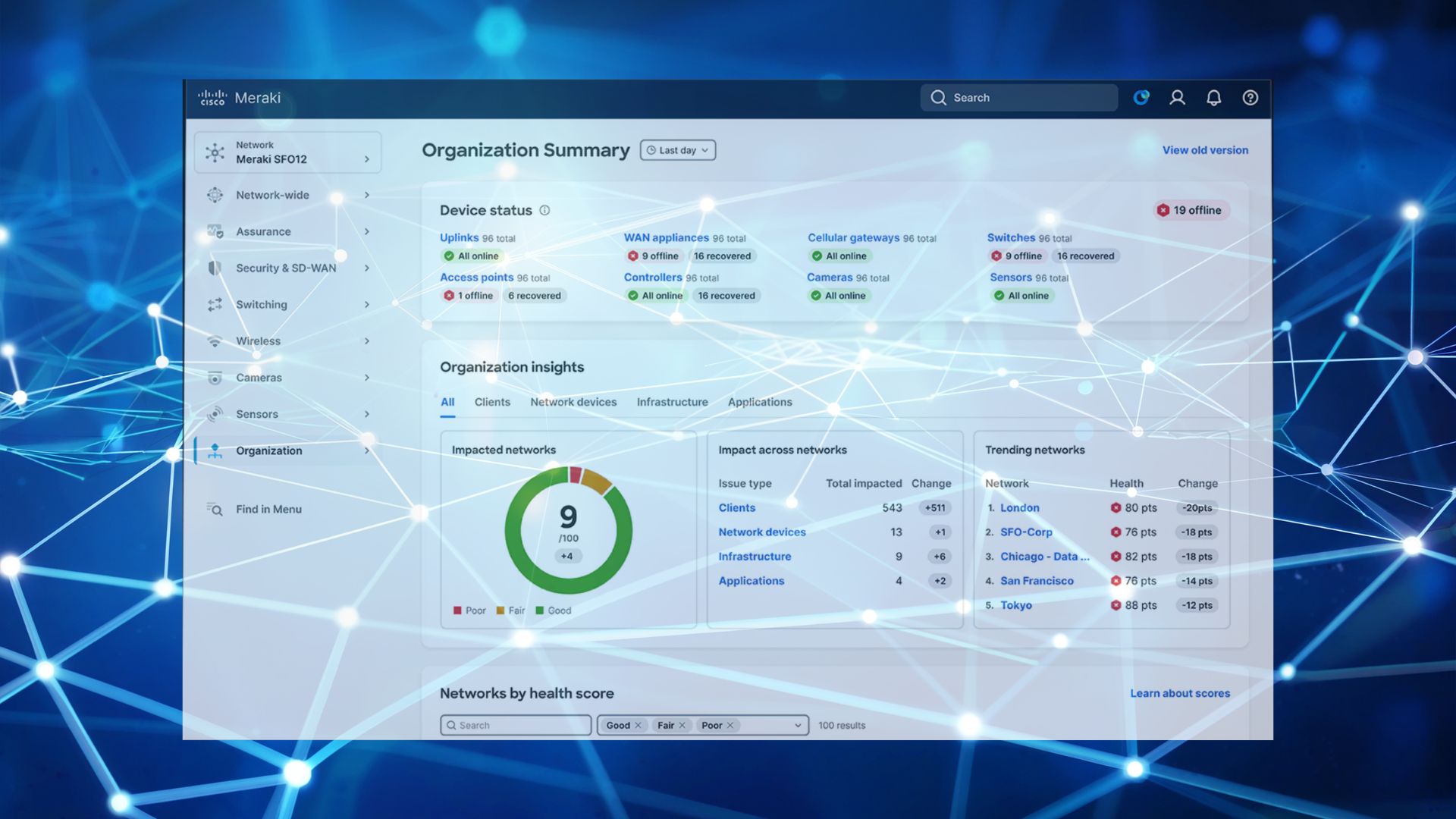
The Meraki dashboard lists current firmware per network under Organisation, then Firmware upgrades. A quick look each quarter tells you whether anything has drifted. If you are still finding your way around the dashboard, our walkthrough on how to set up Cisco Meraki covers where these controls live.
For estates spanning several networks or organisations, the Meraki dashboard API can pull firmware versions for every device into a single report. At scale that is the practical option, because checking network by network stops being realistic well before you reach ten sites.
How G5 can help: we produce that report across your whole estate and review it with you, so you always know what is running where.
Can you upgrade Meraki firmware manually instead of waiting for your batch?
Yes. In the Meraki dashboard, under Organisation and then Firmware upgrades, you can schedule an upgrade for a network at a time you choose. This is the usual approach when a release contains a specific fix or feature you want sooner than the automatic rollout would deliver it. You do not have to wait for your batch to come round.
How G5 can help: we handle manual upgrades and schedule them into agreed windows, with a check afterwards to confirm everything came back up as expected.
What does a good Meraki firmware routine look like?
Getting the best out of Cisco Meraki firmware auto-updates takes very little. For most businesses, four habits cover it.
1. Check what you are actually on. A quick look at the firmware upgrades page each quarter tells you whether anything has drifted since the last time you looked.
2. Set maintenance windows that suit you. Auto-updates apply during the window you choose. Setting it to a genuinely quiet hour, rather than leaving the default, means updates land when nobody is working.
3. Pilot before you roll out widely. If you have more than one site, upgrading one network first and giving it a week is the simplest form of protection there is.
4. Upgrade manually when you need to. If a release contains a fix you want, you can schedule the upgrade yourself rather than waiting for it to arrive.
How G5 can help: we watch firmware versions across your whole estate, pilot new releases before they go everywhere, and schedule upgrades into windows that suit your working day. You get the security fixes promptly and nobody has to remember to check.
Why does Meraki firmware drift matter more as your estate grows?
Cisco Meraki firmware auto-updates cope perfectly well with a single site, where drift is easy to spot. Across ten sites, or across several organisations, it is the sort of thing that stays quietly out of view until someone goes looking — one of several issues we cover in what nobody tells you about running multiple offices.
Nobody is doing anything wrong when this happens. The settings say current, and the assumption that current means current is a reasonable one to make. For anything business critical, though, the safer position is to take ownership of the schedule rather than leaving it entirely to the automatic process. Larger environments often use the Meraki API to report on firmware versions across every organisation in one view.
Cisco’s Meraki Firmware FAQ is the reference for how releases are classified and scheduled.
How G5 can help: we run that reporting for you across every site and give you a simple picture of what is running where, so firmware is something you can see rather than something you assume.
Should you rely on Cisco Meraki firmware auto-updates?
Yes, up to a point. They do work, and they are one of the reasons the platform is so straightforward to run. They simply work on Cisco’s release schedule rather than yours. A little visibility and a maintenance window in the right place is all it takes to get the best of both. For businesses that would rather not track it at all, this is exactly the sort of job a managed service provider for Meraki takes off your hands.
Talk it through with us
If you would like to know what firmware your sites are on today, or you would rather someone else kept an eye on it and scheduled upgrades into a window that suits you, we can set that up.