Blog
In-House IT vs Co-Managed IT vs Managed IT: The Pros and Cons


Most businesses don’t start with an IT strategy.
They start with “Who knows how to fix the Wi-Fi?”
At first, IT is often an accidental job. The office manager takes it on because they are good with computers. Someone in finance becomes the person who knows how to reset passwords. Then someone else gets lumbered with the printer.
It works. Until it doesn’t.
As the business grows, so does the technology. More employees. More devices. More applications. More offices. More data. And suddenly, “John looks after IT” isn’t much of an IT strategy.
Deciding between: In-House IT vs Co-Managed IT vs Managed IT
Do you employ your own IT person or team? Keep someone internally but bring in an external specialist? Or outsource your IT completely to a Managed Service Provider (MSP)?
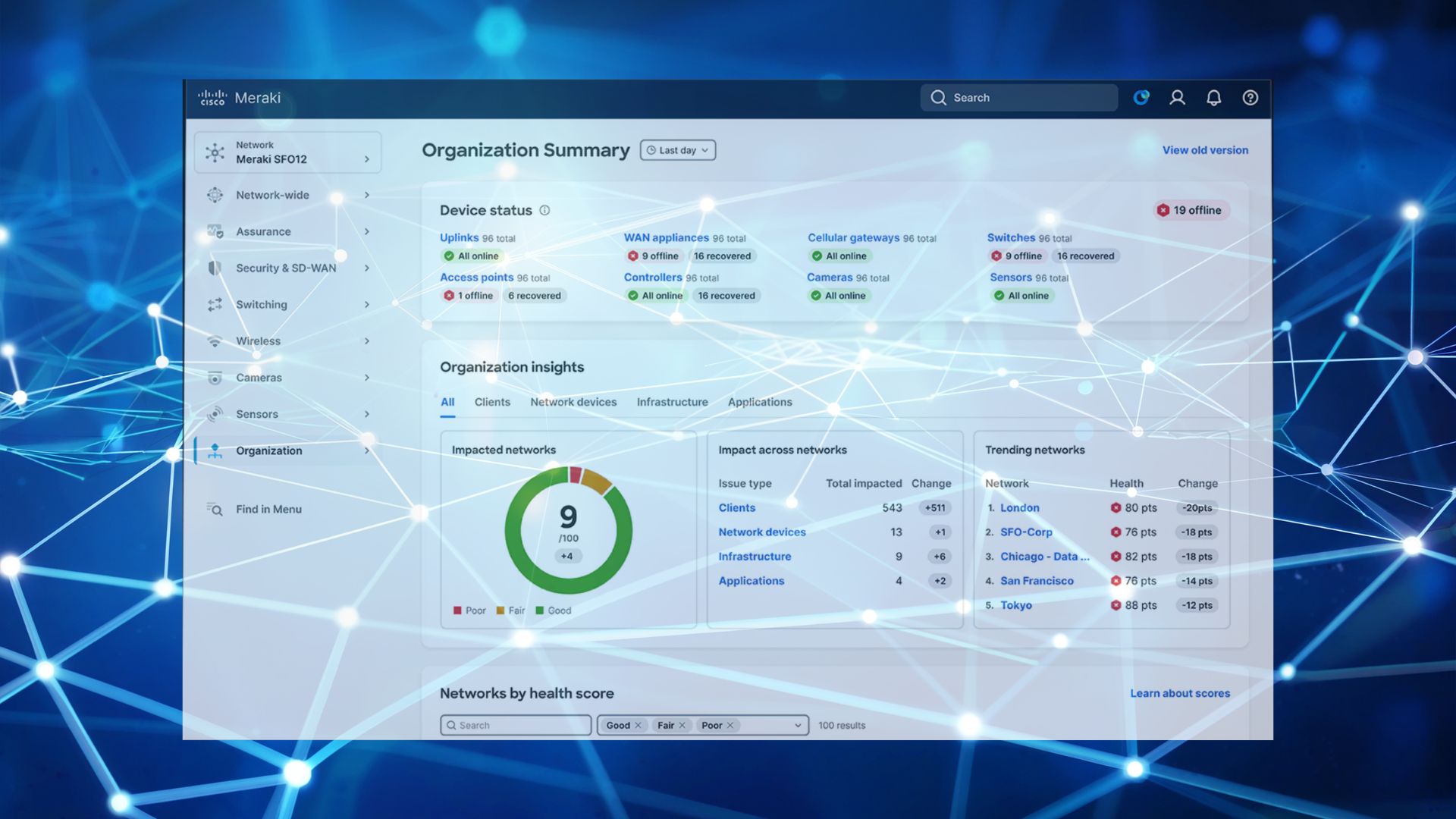
And if your business already has a Cisco Meraki network, there is another important question: who is actually managing it?
Meraki makes network management easier, but that doesn’t mean your network should simply be left to look after itself. Your licences need managing, firmware needs updating, security needs reviewing and someone needs to know what is happening across your network.
If you’re already using Meraki, take a look at our Cisco Meraki licences and make sure you’re getting the most from your investment.
In-House IT
With an in-house IT model, you employ your own IT professional or team to manage your technology.
For a larger organisation with complex systems and enough IT work to justify dedicated employees, this can be a very good option.
The pros of In-House IT
Direct control
Your IT team works directly for you. You decide what they work on and they become deeply familiar with your business.
They know your business
An internal IT person can understand your systems, applications, users and processes in a way that an external provider may take longer to develop.
Someone is always there
When an employee has a problem, they can walk over to the IT department rather than raise a ticket with an external provider.
IT can become strategic
A good internal IT team can become involved in wider business decisions, helping you choose technology that supports your growth.
The cons of In-House IT
It can be expensive
You’re paying salaries, National Insurance, pensions, training, equipment and recruitment costs. And one IT person quickly becomes two when the workload increases.
The one-person IT department problem
What happens when your IT person goes on holiday?
Or gets sick?
Or leaves?
If your entire IT operation depends on one person, you’ve created a significant business risk.
Limited expertise
Modern IT is complicated. Networking, cybersecurity, Microsoft 365, cloud services, backups, devices and compliance all require different skills.
Finding one person who is an expert in everything is difficult.
Keeping up is a full-time job
Technology changes constantly. So do cyber threats, security requirements and software platforms.
Your IT person needs time to keep their knowledge up to date as well as actually supporting the business.
Co-Managed IT
Co-Managed IT sits between having your own IT department and outsourcing everything.
You keep your internal IT person or team but bring in an external IT provider to provide additional expertise, support and resources.
This can be a particularly good option for growing businesses that have outgrown their accidental IT person but aren’t ready to hand over everything to an MSP.
The pros of Co-Managed IT
Keep your internal knowledge
Your internal IT person remains the person who understands your business and users.
Fill the skills gaps
An external provider can bring specialist expertise in areas such as cybersecurity, networking, cloud services and Cisco Meraki.
More resources when you need them
Your external IT partner can provide additional support for projects, upgrades, troubleshooting or periods of increased demand.
Less dependence on one person
If your internal IT person is away, your external IT provider can help keep things moving.
You choose what to outsource
Perhaps your internal team handles user support while your IT partner manages the network and cybersecurity.
Or your internal team manages Microsoft 365 while your MSP looks after the infrastructure.
The model can be designed around your business.
The cons of Co-Managed IT
Someone needs to be in charge
You need clear responsibilities between your internal team and external provider.
If both assume the other is monitoring something, it may not get done.
Communication is important
Your internal IT team and external provider need to work together. Poor communication can create more problems rather than solving them.
You’re still employing IT staff
Co-managed IT doesn’t eliminate the cost of having an internal IT team.
Potential duplication
Without clear processes, you can end up with two teams monitoring the same systems or making changes without knowing what the other has done.
Managed IT
Managed IT means outsourcing an agreed range of your IT services to a Managed Service Provider (MSP).
Instead of employing a whole IT department, you get access to a team of IT professionals with different areas of expertise.
Managed IT can cover everything from day-to-day support to cybersecurity, Microsoft 365, backups, network management and strategic IT planning.
For businesses using Cisco Meraki, it can also mean having specialists actively managing the network rather than simply renewing the licences when they expire.
For example, Meraki firmware auto-updates can help keep your network up to date, but businesses still need to consider how firmware, configuration and security are monitored and managed.
The pros of Managed IT
Access to a whole team
Instead of relying on one IT employee, you have access to people with different areas of expertise.
Predictable costs
Managed IT is generally provided for an agreed monthly fee, making IT costs easier to budget for.
Proactive management
A good MSP shouldn’t just wait for something to break.
They should monitor your systems, identify potential problems and deal with them before they become business-disrupting incidents.
Improved resilience
Your business isn’t dependent on one person knowing how everything works.
Specialist cybersecurity expertise
Cybersecurity is now too important to leave as an afterthought. A managed IT provider can provide access to security expertise without you having to employ a dedicated cybersecurity team.
Scales with your business
As your business adds employees, offices, devices and systems, your IT support can scale with it.
Strategic support
The right MSP should do more than fix problems. They should help you make better technology decisions.
The cons of Managed IT
Less direct control
Some businesses like having an IT person sitting in the office. With managed IT, your support is provided by an external team.
Choosing the right provider matters
Not all MSPs are the same. You need to understand what they actually manage, how they provide support and whether they have the expertise your business needs.
You need a good working relationship
Your MSP needs to understand your business, not just your technology.
Make sure the scope is clear
Before signing an agreement, understand exactly what is included, what isn’t and what happens when you need additional work.
In-House IT vs Co-Managed IT vs Managed IT: which is right for you?
There isn’t one answer that works for every business.
The right model depends on the size of your organisation, your internal expertise, your budget and how much responsibility you want to keep in-house.
| In-House IT | Co-Managed IT | Managed IT | |
|---|---|---|---|
| Internal IT team | Yes | Yes | Usually no |
| External expertise | Limited | Yes | Yes |
| Specialist skills | You need to hire them | Shared | Included |
| Scalability | Can be expensive | Flexible | Highly scalable |
| Single-person dependency | Higher risk | Reduced | Much lower |
| Day-to-day control | High | High | Lower |
| Predictable costs | Lower | Medium | Higher predictability |
| Best suited to | Larger organisations | Growing businesses | SMEs wanting outsourced IT |
What about your Cisco Meraki network?
If your business is already using Cisco Meraki, your IT model should include who is responsible for managing the Meraki environment.
That means looking beyond the question of “Do our licences need renewing?”
You should also be asking:
- Who monitors the network?
- Who manages firmware updates?
- Who reviews security settings?
- Who manages configuration changes?
- Who investigates unusual activity?
- Who supports users when there is a network problem?
- Who documents the network?
- Who takes responsibility when something goes wrong?
Your Cisco Meraki network security is too important to simply assume that because the equipment is cloud-managed, it is automatically being properly managed.
Your Meraki renewal can actually be a useful trigger to review the bigger picture.
Are you still managing IT in the same way you were when the business was half its current size?
If not, it may be time to rethink your IT model.
Want to talk it through?
If you’re wondering whether your current IT setup is still working for your business, talk to Steve.
He can look at your current approach, your Meraki environment and your wider IT requirements and help you understand whether in-house, co-managed or managed IT makes the most sense.
Book a meeting with Steve
Sometimes the best IT decision isn’t hiring another person. It’s getting the right people around the business.