Blog
How Often Should You Review Your Cisco Meraki Network?


We have put together a simple review routine — monthly, quarterly and annually — so you know what to look at, how often, and what to do with what you find.
Meraki networks rarely go wrong all at once. They drift. A device gets swapped and the old one stays in the inventory. Someone leaves and their Dashboard access stays behind. A firewall rule gets added for a project that finished two years ago. None of it causes trouble on the day, which is why it builds up quietly.
A short, regular review keeps all of it visible.
A Simple Cisco Meraki Review Schedule for UK Businesses
What should you check monthly?
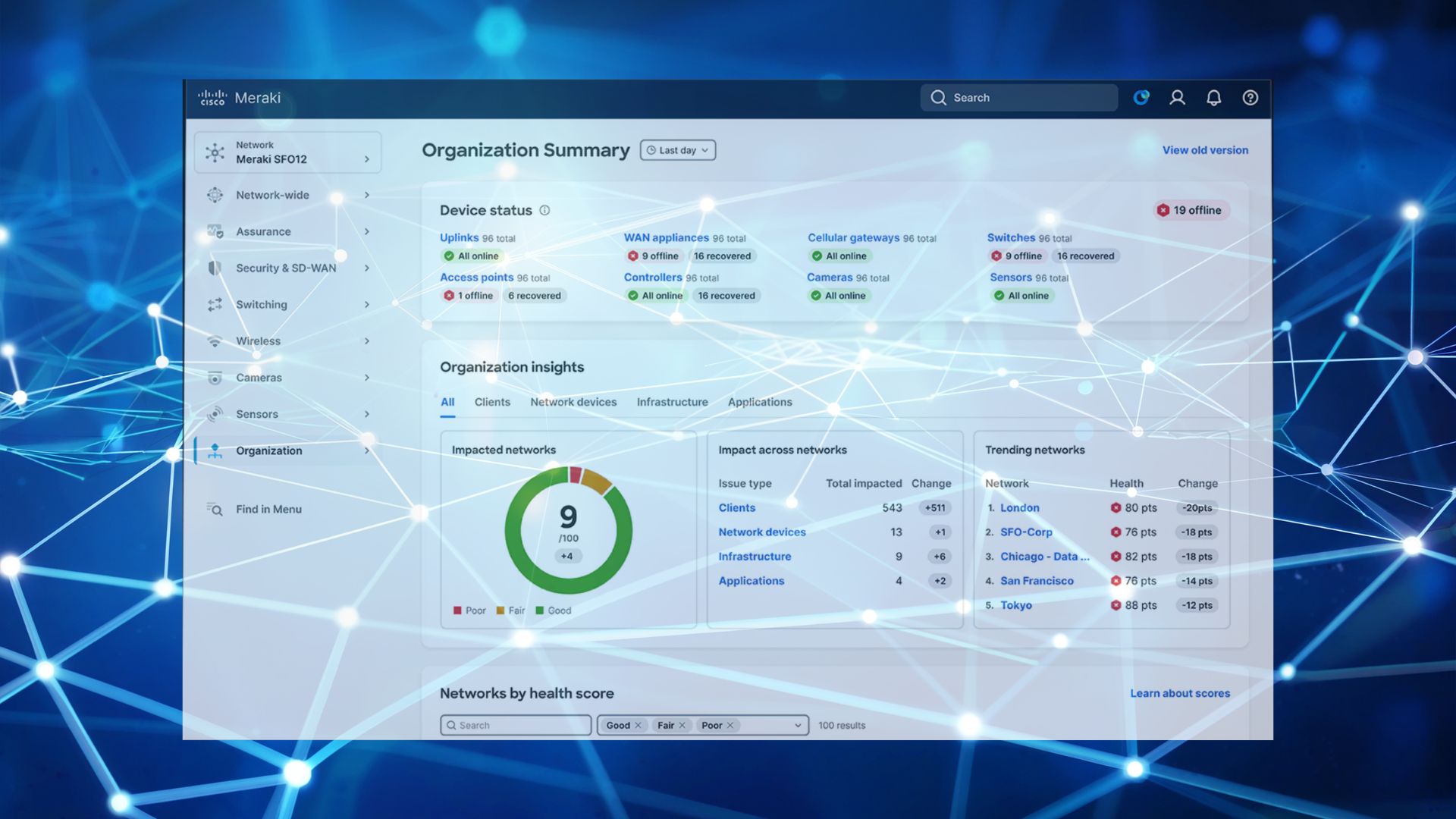
Ten minutes in the Dashboard covers most of it:
- Device health and alerts
- Anything offline, and whether it is meant to be
- Wi-Fi performance, particularly in the areas people mention — our guide to wireless network troubleshooting covers the usual causes
- Firmware status — Meraki rolls updates out in batches, so a device can sit a few versions behind what you would expect (how Meraki firmware auto-updates work)
- Anything unusual in network activity
What should you review quarterly?
Every three months, go a level deeper:
- Firewall and security rules, and what they are still there for — the threats that tend to sit inside the network
- VLANs and SSIDs, and whether the split still matches how teams actually work
- VPN configuration, and which sites are genuinely using it
- Dashboard admin access — who has it and at what level (organisation, admins, licensing and inventory)
- Network performance against real demand, especially if headcount has grown (bandwidth management for growing teams)
- Licence status and renewal dates (co-termination vs subscription licensing)
What should you look at annually?
Once a year the question is a broader one: does the network still fit the business?
More staff, a new site, more cloud applications, different security requirements — any of those change what the network is being asked to do. This is a good point to look at whether the hardware still suits the load. If the security appliance is the part being outgrown, our MX75 vs MX85 vs MX95 vs MX105 comparison is a useful starting point.
What Gets Missed Without Regular Cisco Meraki Reviews?
When we look at customers’ Meraki setups, the things that commonly turn up are:
- Former employees who still have Dashboard access
- Firewall rules nobody remembers creating
- Devices coming to the end of their useful life with no replacement planned
- Licences renewed on autopilot, without checking whether the tier still matches how the business uses the network — our guide on choosing the right Meraki licence walks through that
- Capacity sized for the last headcount rather than this one
These usually happen because different people handle different parts: one person orders the hardware, another manages users, and the licensing sits with whoever renewed it last time.
Step 1: Check
What should you be monitoring?
Device health, alerts, performance, firmware and licence status. Meraki puts nearly all of it on one screen, so this is a quick look rather than an exercise.
Step 2: Review
What should you review, and why?
Security settings, admin access, configuration, and whether the network still meets what the business needs. The configuration was right when it was built — the review is about whether the business has moved since then.
Step 3: Act
What do you do with what you find?
Deal with the small things while they are small, and give the bigger ones enough notice to be done properly: a hardware refresh, a licence consolidation, extra capacity ahead of a new office.
How We Help
We run these reviews as part of managing our customers’ Meraki estates — monthly health checks, quarterly configuration and security reviews, and an annual look at whether the setup still fits. We flag what needs attention, recommend what is worth changing, and handle the practical side, including co-terminating renewal dates so licences land on one date instead of several.
Want someone keeping an eye on your Meraki network? Book a meeting with Steve.